

All in one clinic management software in Dubai
Medhostech Editorial
Healthcare IT & software insights
One System for Doctors, Reception, and Nurses: Why Your Clinic Needs It
It is 10:25 AM. A patient is at the front desk for a 10:30 appointment. The doctor is still with the previous patient. The receptionist is on the phone rebooking someone else. A nurse is looking for the room that was supposed to be free. Nobody did anything wrong. They just do not have the same information.
If this sounds familiar, your clinic does not have a people problem. It has a coordination problem. And the fix is surprisingly simple: put doctors, reception staff, and nurses on one system, with the right structure behind it.
Here is how to do it.
1. Give Every Role Its Own View (Role-Based Access)
Not everyone in your clinic should see everything. Role-based access means each person sees and does only what their job requires.
Receptionists: book, reschedule, and cancel appointments, register patients, and handle billing. They do not need clinical notes.
Nurses: record vitals, update patient status, and prepare patients for the doctor.
Doctors: manage their own calendar and access the full clinical record for their patients.
Admins and managers: set up users, services, shifts, and reports.
The payoff is twofold. Patient information stays protected, and staff are not distracted by screens that have nothing to do with their work. A good rule: give the minimum access needed, and review it every few months.
2. Separate Calendars for Doctors, Rooms, and Equipment
Most double-bookings happen because clinics track only the doctor's time. But a single visit often needs several things at once: a doctor, a room, a machine, and a nurse or technician.
When each of these has its own calendar, the system can check all of them before confirming a slot. If the ultrasound room is busy, that slot is simply not offered, even if the doctor is free.
A few tips:
Set a realistic duration for each service. A 15-minute check-up and a 45-minute procedure should never take the same slot.
Add buffer time for cleaning and setup between patients.
Link each service to the room and equipment it needs.
3. Plan Shifts Before You Take Bookings
Appointments are only as reliable as the shifts behind them. Set up working hours, breaks, and leave for every doctor and staff member first, so patients can only book when someone is actually available.
When plans change, your system should help you cope:
Mark leave or training as unavailable time
Spot which appointments are affected and rebook them early
Swap nurse shifts without losing track of who covers which doctor
Use your booking data too. If Monday mornings are always packed and Wednesday afternoons are quiet, adjust staffing to match.
4. Assign Appointments Smartly
Not every appointment should go to any available doctor. Good assignment means:
Matching the service to the right specialty
Letting returning patients see their regular doctor
Linking nurses and assistants to the doctors and rooms they support each shift
Tracking visit stages, such as arrived, in triage, with doctor, and billing, so everyone can see where each patient is
This turns a busy waiting room into a visible, manageable flow.
5. Stop Double-Bookings Before They Happen
Double-bookings are almost never careless mistakes. They happen when phone calls, walk-ins, WhatsApp messages, and online requests are each tracked in a different place.
To prevent them:
Use one shared calendar for every booking channel.
Check availability live, so two people cannot take the same slot.
Hold slots while a patient is completing an online booking.
Restrict overrides to managers or doctors, and keep a record of them.
Set clear overbooking rules if you plan for no-shows, rather than leaving it to guesswork.
6. Cut No-Shows with Reminders and Advance Payments
A perfectly organized calendar still loses money when patients do not turn up. Automated reminders before the visit, easy rescheduling, and optional advance payments for longer or higher-value appointments all help protect your doctors' time.
How Medhostech Helps
Medhostech brings these pieces together so your team is not juggling registers, chat groups, and spreadsheets.
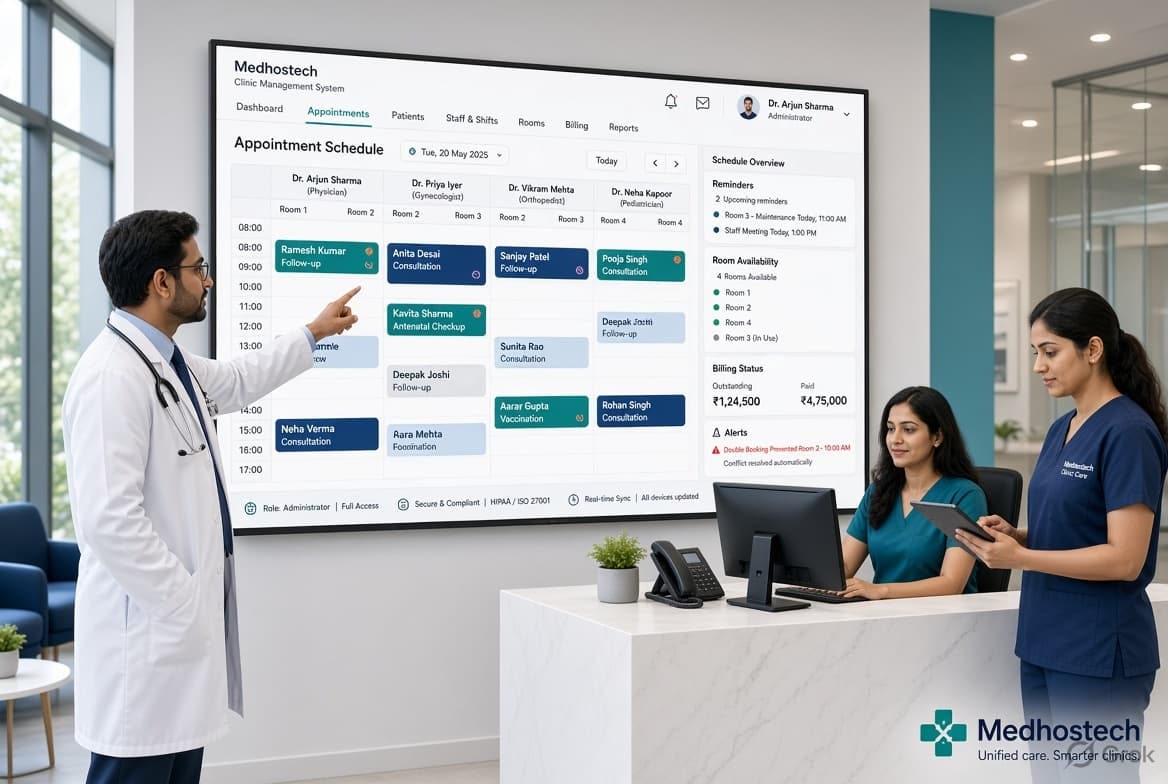
One shared booking calendar for phone, walk-in, and online appointments
Practitioner-wise scheduling, with preferred practitioner selection and service durations
Staff management that keeps working hours and assignments in line with bookings
Service packages so common visit combinations are easy to book
Automated reminders and advance payments to reduce no-shows
Billing and reports in the same system, so you can see which practitioners, services, and time slots perform best
The result is a quieter front desk, nurses who know who is arriving and when, and doctors who start the day with a clear schedule.
Frequently Asked Questions
What is role-based access in a clinic management system?
Role-based access means permissions are tied to a job role, such as receptionist, nurse, doctor, or admin, instead of being set person by person. Each role sees only the screens and data it needs, which protects patient information and keeps daily work simple.
Why do double-bookings still happen when we use a calendar?
Usually because bookings are tracked in more than one place, such as phone calls, walk-ins, WhatsApp, and online requests, or because only the doctor’s time is checked. Using one shared calendar with live availability checks, and checking rooms and equipment along with the doctor, removes most conflicts.
Do I need separate calendars for rooms and equipment?
If a service depends on a specific room or machine, yes. A doctor can be free while the ultrasound room or procedure room is not. Separate calendars let the system offer only slots where every required resource is available.
How should we plan shifts for doctors and nurses?
Set recurring working hours, breaks, and leave for every staff member before opening bookings. Then use booking data to spot busy and quiet periods, and adjust staffing to match. When someone is absent, review the affected appointments early and rebook them.
How can we reduce patient no-shows?
Send automated reminders before each visit, make rescheduling easy, and consider advance payments for longer or higher-value appointments. These steps help patients commit to their slots and give your team time to refill cancelled ones.
Can one system handle billing and reports too?
Yes, and it is usually better that way. When scheduling, billing, and reports live together, you can see which doctors, services, and time slots bring the most visits and revenue, and use that to improve your shift planning.
Ready to See It in Action?
If your clinic is tired of scheduling confusion, a single system can change how your day runs. Book a free demo of Medhostech and see how it fits your doctors, reception team, and nurses.