

EHR & Patient Record Management Software for Alabama U.S. | MedhosTech
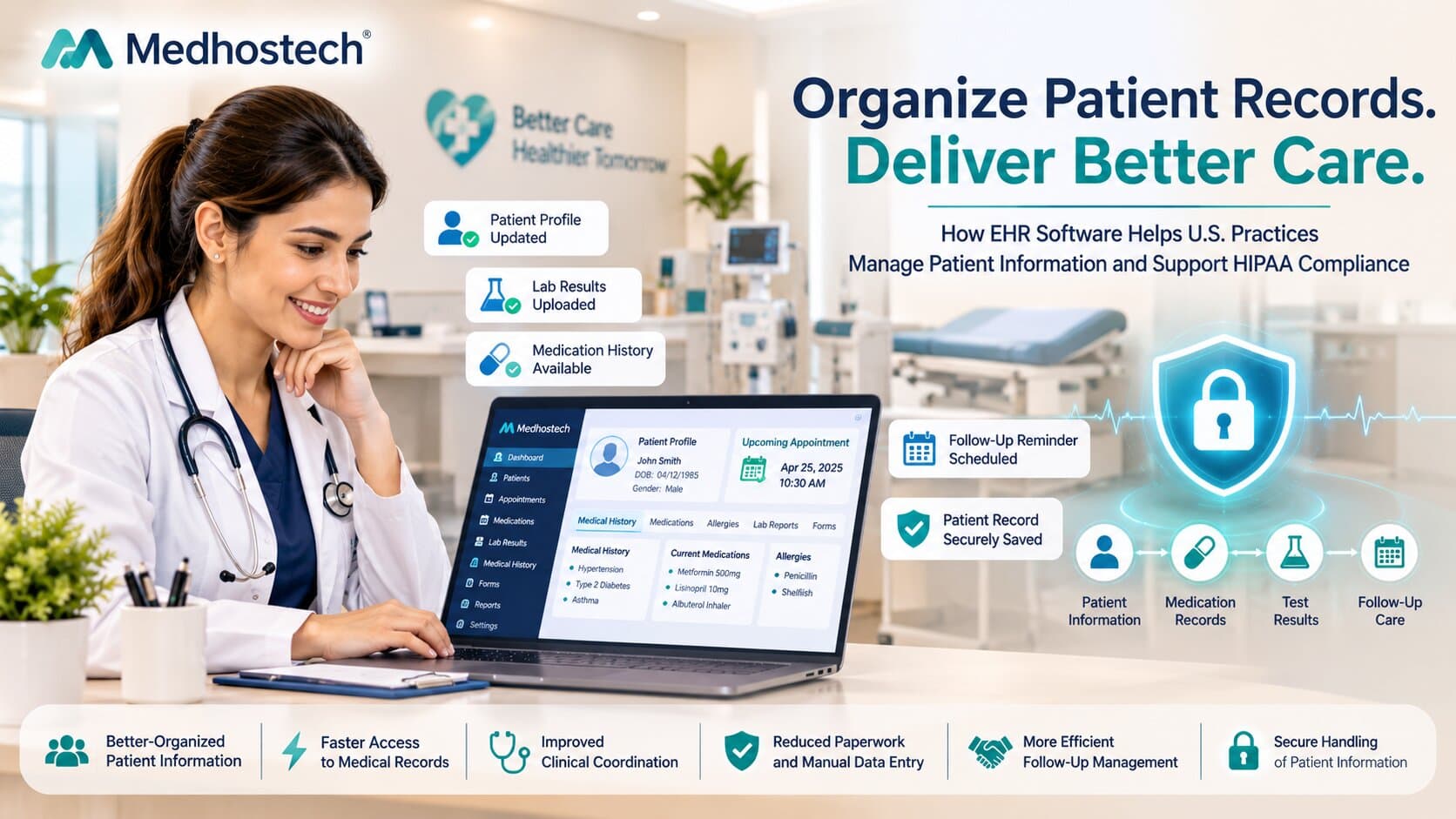
How EHR and patient record management organize patient information, medications, test records and follow-ups, with a real HIPAA example and how MedhosTech EHR can help.
Medhostech Editorial
Healthcare IT & software insights
EHR & Patient Record Management How U.S. Practices Can Organize Patient Information and Stay Compliant
Mark drives in from Wasilla for a follow-up at a family clinic in Anchorage. The clinic keeps paper folders, handwritten medication lists and lab reports in a shared inbox. His new lab result was filed in the wrong place, so the provider cannot review it and asks him to come back next week, which means another long winter drive.
With an organized EHR, the same visit looks different:
His patient information and history are in one profile.
His medication details and allergies are listed and reviewed on the spot.
His test records are attached to the chart and dated, so the provider compares them right away.
His follow-up information is set as a task, and the nurse schedules a phone check-in so he avoids an extra trip.
ers prompt a post-treatment check-in and a progress review.
Fewer repeat visits, safer care, shorter check-in times and patients who feel the practice knows them. The same pattern applies in Fairbanks, Juneau, Huntsville, Montgomery or Tuscaloosa. Actual results vary by practice, specialty and how consistently the team uses the system.
What Is EHR and Patient Record Management?
EHR and patient record management is the process of storing, organizing, updating and securely sharing a patient's health information in a digital system. It includes demographics, medical history, medications, allergies, test results, treatment notes, consents and follow-up plans, so authorized staff can find accurate information quickly and patients can receive their records on time.
Whether you run a primary care clinic in Houston, a dermatology practice in Phoenix or a medspa in Atlanta, strong record management supports safer care, smoother operations and HIPAA compliance.
Why Does Patient Record Management Matter in the USA?
Patient safety: Accurate medication and allergy information helps prevent errors.
Compliance: HIPAA requires safeguards for protected health information and gives patients a right of access to their records.
Efficiency: Staff spend less time searching for paperwork and more time with patients.
Continuity of care: Complete histories help providers make better decisions across visits and across care teams.
Billing accuracy: Clear documentation supports proper coding and reduces claim problems.
Patient trust: Clients expect quick, easy access to their own information.
What Problems Do Practices Face Without a Good EHR?
Paper charts that are lost, misfiled or hard to retrieve
Medication lists that differ between notes, prescriptions and intake forms
Test results saved in separate places or never linked to the patient chart
Missed follow-ups because reminders live in someone's memory or on sticky notes
Slow responses to patient records requests
Weak access controls and no clear record of who viewed or changed information
How Does an EHR Organize Patient Information?
1. How does an EHR keep patient demographics and history in one place?
A central patient profile stores contact details, insurance information, medical history, allergies, consents and notes together. Instead of searching several folders or systems, staff open one chart and see the full picture.
2. How does an EHR manage medication details?
A good EHR records current and past medications, doses, schedules and allergy information in a structured list. This makes it easier for providers to review what a patient takes before recommending a treatment, and to update the list consistently at each visit.
3. How does an EHR organize test records and results?
Lab results, imaging reports and other test documents can be attached to the correct patient chart and dated. Providers can compare results over time instead of hunting through separate files.
4. How does an EHR support follow-up information?
Follow-up tasks, reminders and next-visit notes can be recorded in the chart and tied to the patient. Staff can see who needs a recheck, a lab review or a post-treatment call, which reduces the chance that someone slips through the cracks.
5. How do digital forms and consents help?
Intake forms, consent forms and patient questionnaires can be completed digitally and saved directly to the chart. That cuts re-entry errors and keeps signed documents easy to find.
6. How does an EHR protect security and privacy?
Role-based access, secure logins and activity tracking help limit who can see or change records. Practices still need strong internal policies, staff training and a signed business associate agreement with their software vendor, but a secure EHR is a core building block.
7. How does an EHR speed up records requests?
When everything is stored in one organized chart, staff can locate and release the designated record set quickly. This directly addresses the problem seen in right-of-access enforcement cases, where delays and lost records led to penalties.
How Can MedhosTech EHR Help Organize Patient Information?
MedhosTech EHR helps practices keep patient information, medication details, test records and follow-up information organized in one connected system, where supported. Depending on the modules and configuration your practice uses, MedhosTech can help you:
Organize patient information with a centralized profile that holds demographics, history, notes and consents.
Manage medication details by keeping current and past medications and allergy information visible in the chart, where supported.
Store test records by attaching lab results, reports and documents to the correct patient, where supported.
Track follow-up information with tasks, reminders and next-step notes so patients are not missed, where supported.
Streamline intake with digital forms and consents that save directly to the record.
Support privacy and access control with user permissions and secure access, where supported.
Connect records with scheduling and billing so the front desk and clinical team work from the same information, where supported.
Scale with your practice, from a single clinic to multiple locations.
How Should a Practice Improve Its Record Management?
Audit your current records. Identify where information lives today: paper, spreadsheets, email and software.
Define a records request process. Assign an owner and a clear timeline for responding to patient requests.
Standardize your charts. Decide how medications, allergies, test results and follow-ups are recorded.
Choose an EHR that fits your specialty. Make sure it supports the workflows you actually use.
Train your team. Software only works when everyone uses it consistently.
Review access and security regularly. Remove old accounts and check permissions.
Audit and improve. Spot-check charts and test how fast you can fulfill a records request.
Frequently Asked Questions
What does EHR stand for?
EHR stands for electronic health record, a digital version of a patient's chart that can be shared securely among authorized providers.
What is the difference between EHR and EMR?
An EMR (electronic medical record) is typically a digital chart used within one practice. An EHR is designed to hold a broader view of a patient's health information and share it more easily across care settings.
How quickly must a practice provide patient records under HIPAA?
HIPAA generally requires covered entities to respond to access requests within 30 days, with limited extensions in certain situations, and to charge only reasonable, cost-based fees. Confirm current requirements and any state-specific rules with your compliance advisor.
Does using an EHR make a practice HIPAA compliant?
No. An EHR supports compliance, but your practice must also maintain policies, staff training, risk assessments and vendor agreements.
Can small practices and medspas benefit from an EHR?
Yes. Even small practices benefit from organized charts, medication and allergy tracking, digital consents and follow-up reminders.
What should I look for in an EHR vendor?
Look for security features, ease of use, support for your specialty, patient access options, reliable support and a willingness to sign a business associate agreement.
Can an EHR help with follow-up care?
Yes. Follow-up tasks and reminders help staff track who needs a recheck, a result review or a post-treatment check-in.
Final Takeaway
Effective EHR and patient record management keeps patient information, medications, test records and follow-up plans organized, secure and easy to find. As the Azul Vision case shows, slow or unreliable access to records can lead to real consequences. With a system like MedhosTech EHR, practices across the USA can bring their records together, support safer care and respond to patients with confidence.
Ready to organize your patient records? Book a demo with MedhosTech to see how EHR can support your practice.